Open huge IFC models. Fast.
Horve IFC Viewer is a native Windows viewer for IFC building models. Load architecture, structure and MEP into one federated, georeferenced scene — and keep it smooth past 100 million triangles.
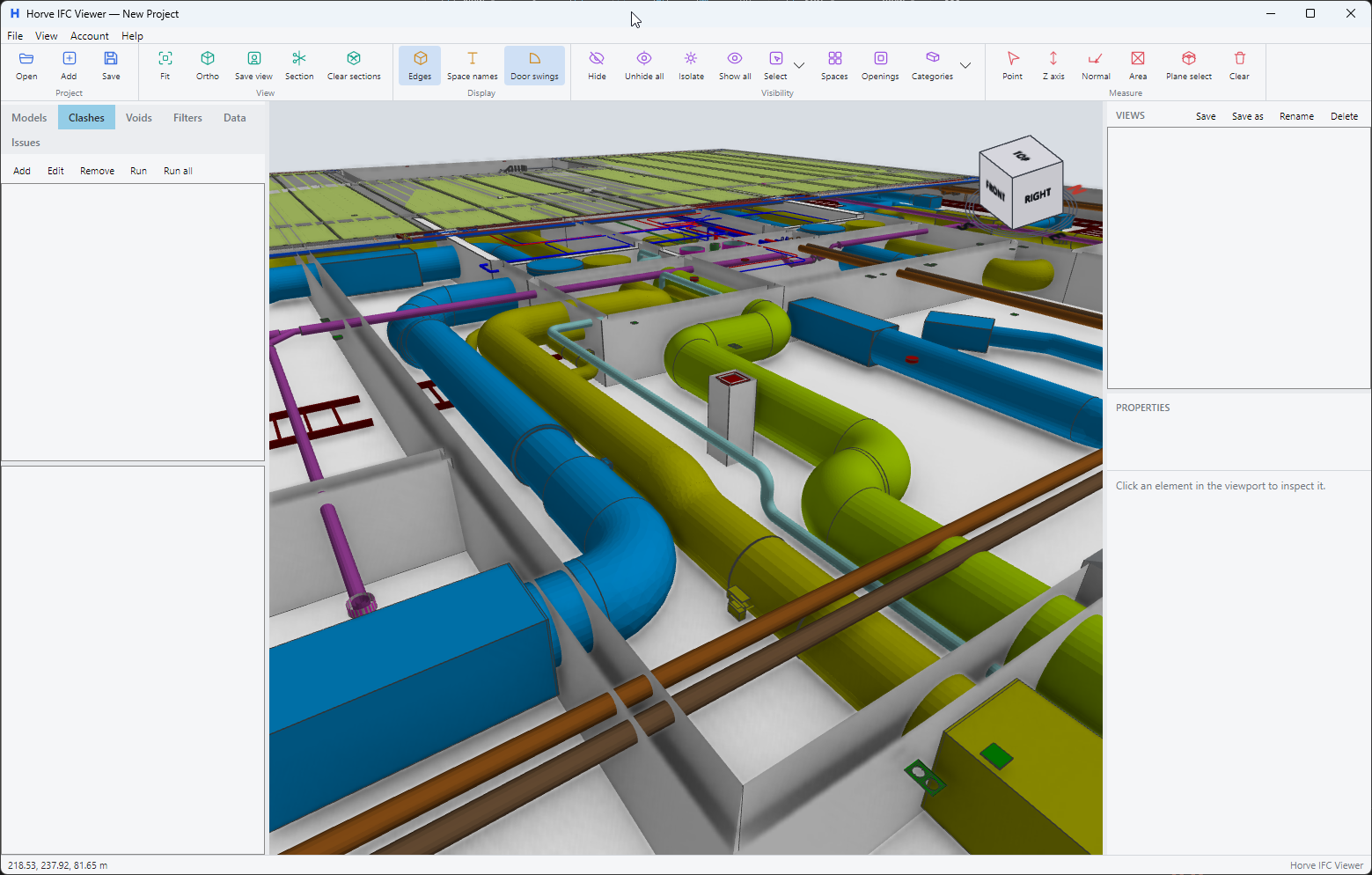
Built for multi-discipline BIM work
One project, every trade. Horve IFC Viewer is made for opening the whole federation — and for getting answers out of it.
Federated models
Load any number of IFC files into one project. Georeferenced alignment puts architecture, structure and MEP where they belong — including map-coordinate models.
Built for big models
A native Direct3D 11 renderer with MSAA and SSAO. GPU instancing and mesh simplification keep projects interactive past 100 million triangles.
Clash detection
Run clash tests between model sets. Results are grouped per storey — matched across models — so you review them floor by floor.
BCF issues
Create and review issues with viewpoints, and exchange them with other tools through BCF 2.1 and 3.0 import and export.
Measurements
Point-to-point, edge-snapped and area measurements, labelled directly in the viewport.
Sections and voids
Pick section planes straight from faces. Add persistent void cuts that stay saved with the project.
Filters and color-coding
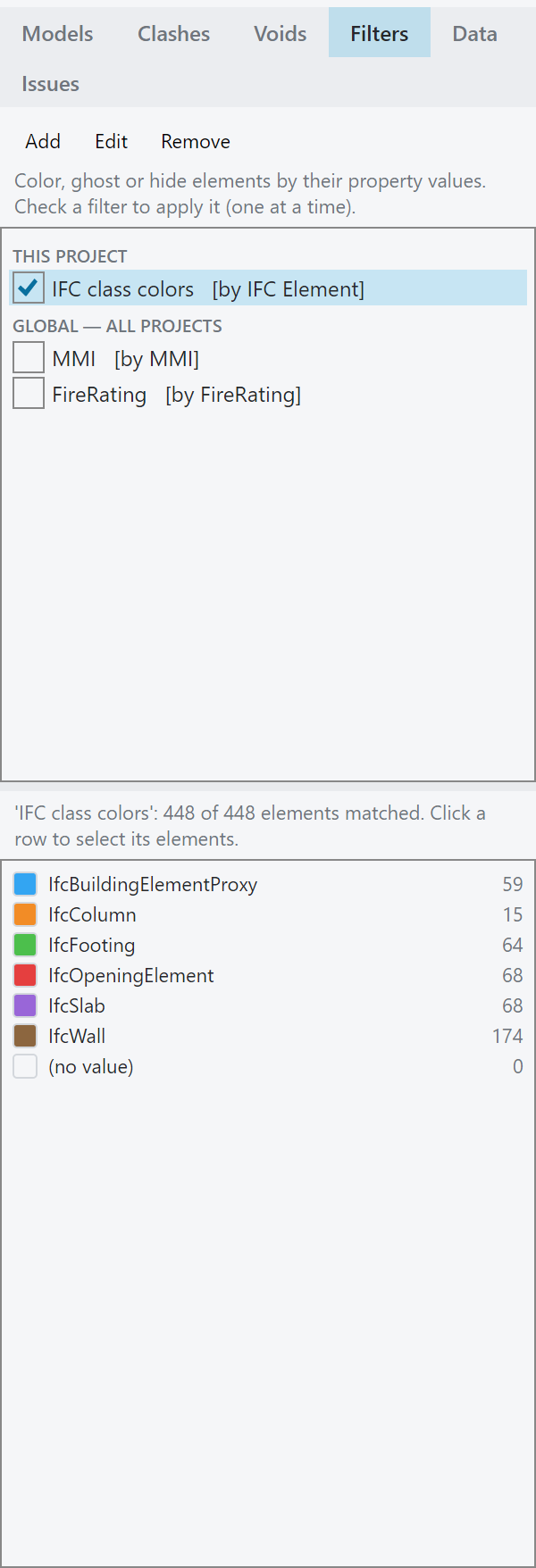
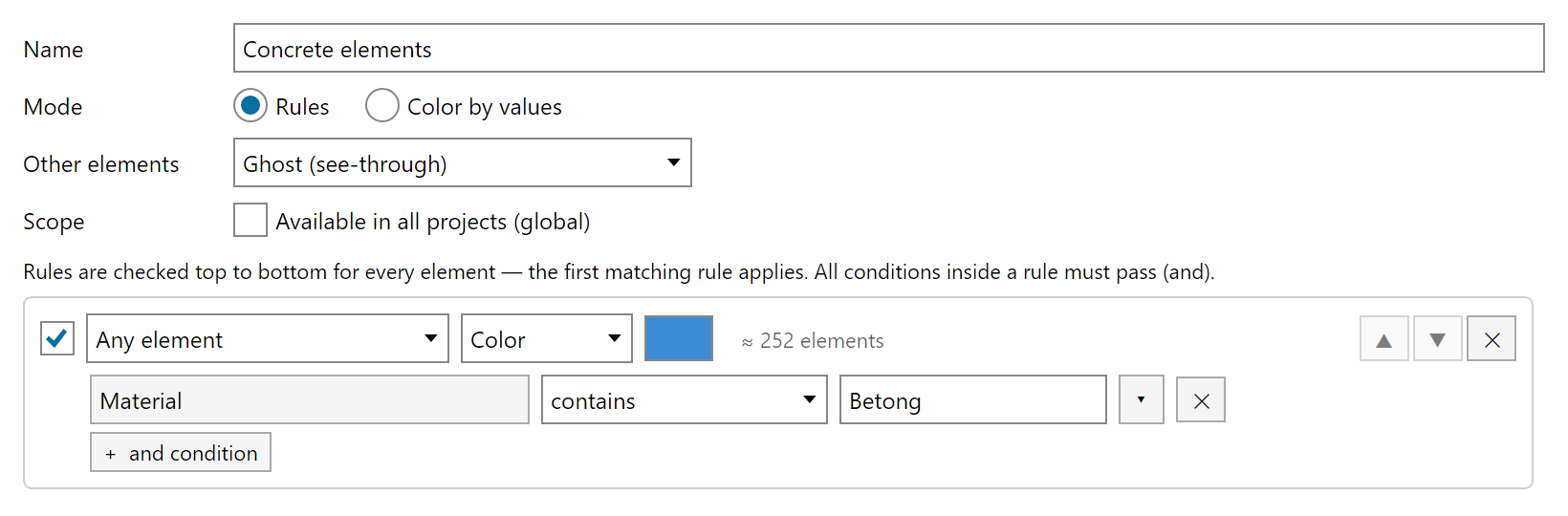
Filter elements by their property values, color the results and read the scene with an on-screen legend.
Quantity takeoff
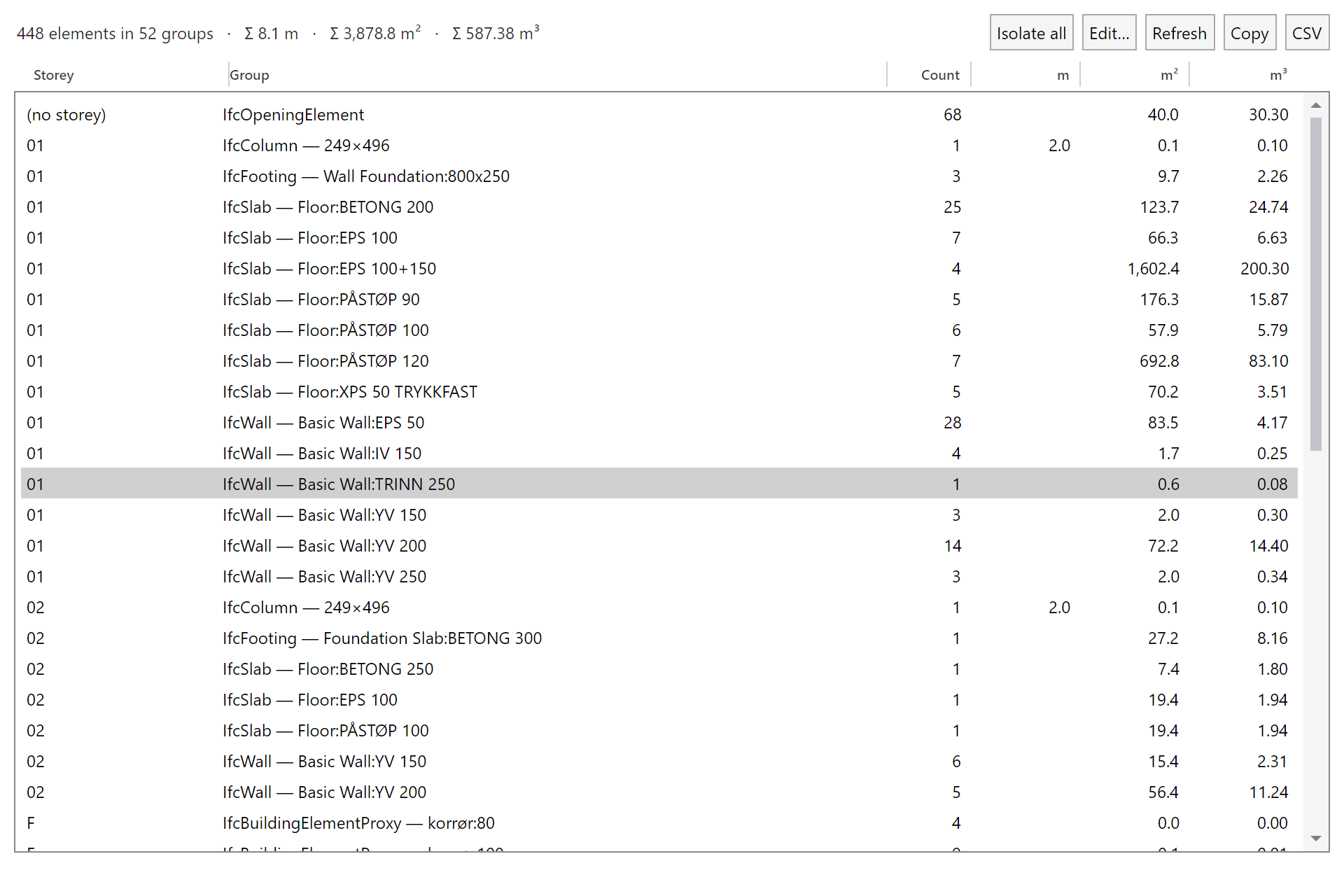
Tabulate counts, lengths, areas and volumes across models with data lists — and export the tables to CSV.
Full element data
Property sets, assigned types, materials, CAD layers and the spatial structure — everything the model carries.
Also: saved views with thumbnails · single-file project save/load · geometry cache for instant reopen · built-in user guide (English / Norwegian) · OpenGL fallback renderer
Your models never leave your machine.
All parsing, geometry and analysis run locally on your PC. The only network traffic is license sign-in — tokens, license status and the app version. Nothing about your models.
“Your models, project files and their contents are processed locally on your device and are never transmitted to Licensor.” — from the End-User License Agreement
A closer look
Download Horve IFC Viewer
Standard installer
Installs to Program Files for all users of the PC. Asks for administrator rights (UAC) once.
Download (.msi) — 16.0 MBHorveIFCViewerSetup.msi
Per-user installer
Installs to your own user profile. No administrator rights needed — for managed or locked-down machines.
Download (.msi) — 16.0 MBHorveIFCViewerSetup-CurrentUser.msi
Not sure? Take the standard installer. Pick per-user if you can’t elevate.
During installation you can optionally associate .ifc and .ifczip files with the viewer.
SHA-256 checksums
3cb39b44770c99c4c9507c798fc0d8df28e962fa53f29fe9b67157be7788d52d4af4a94ca781dd324e1b14a22bea4a63d86c215b2b5da39b8b0964048c3aa295Frequently asked questions
Which installer should I choose?
The standard installer is right for most people — it installs to Program Files and asks for administrator rights once. On a machine where you can’t elevate, use the per-user installer instead; it installs to your own profile and never asks.
Is my model data uploaded anywhere?
No. Models and projects are processed entirely on your machine. The only network traffic is license sign-in: tokens, license status and the app version — see the EULA.
How does the trial work?
Sign in on first launch and you get 30 days free, with every feature enabled and no payment details asked. To keep using the app after the trial, write to post@shorve.no.
Can I work offline?
Yes. After signing in, the app keeps working without a connection for up to 14 days before it needs to re-verify the license.
What do I need to run it?
Windows 10 or 11 (x64) and a GPU with Direct3D 11 support — any current integrated or discrete GPU will do.
Which files does it open?
IFC models as .ifc or .ifczip. Everything you set up around them — saved views, clash tests, filters, data lists and issues — is stored in a single project file.